
Audio repurposing
Turn a podcast passage into a useful campaign audiogram
One webinar,three editorial jobs.
Select a standalone podcast answer, make a waveform video and plan accurate captions, with a worked title decision and practical delivery checks.
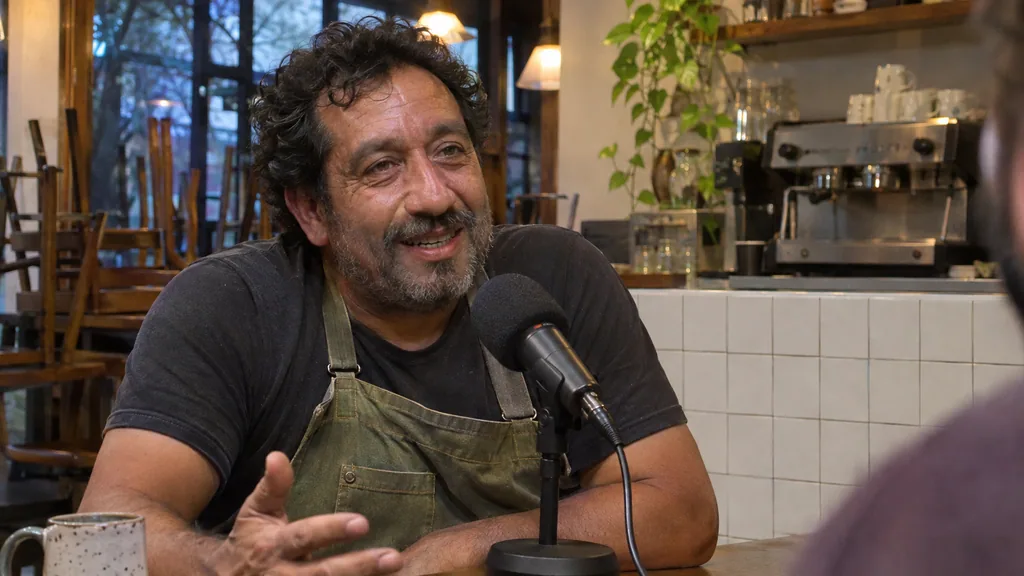
You do not need to invent speaker footage to share a useful audio-only interview. An audiogram can turn a selected passage into a video-format asset, using a title and a visual response to the sound.
For a marketing team reusing a podcast recording, the work begins before the waveform. Choose an answer that makes sense without the full episode, preserve its qualification and decide what the audience should do next. Then build the visual treatment and check how people will understand the asset when sound is unavailable.
A moving waveform does not explain the words. It is a presentation of sound, not a substitute for captions, a transcript or a clear campaign message.
Choose audio that can travel without its episode
Listen to the candidate passage with the preceding question and following sentence. References such as “that change” or “the second one” may depend on context that a short social asset will not contain. Include the necessary setup or choose a more self-contained answer.
Prefer a passage with one clear job: explain a decision, answer an objection or describe a useful process. A strong-sounding sentence that needs several minutes of qualification is a poor candidate for a very short asset.
Keep a note of the recording and selected range so the team can return to the source. Confirm the proposed reuse through the existing approval arrangements. The B2B campaign planning guide helps decide which audience question deserves an asset before making several waveform versions.
Decide whether an audiogram is the right treatment
Audio-led material works best when the point can be understood by listening. A discussion of a software setting, chart or physical demonstration may depend on a picture that the waveform will remove.
If a video recording contains important visual evidence, retaining that footage may be more useful than replacing it with bars. If the passage is genuinely audio-only, identify any context that a short title or accompanying text needs to supply without making new claims.
Choose a different passage when the missing visual is essential. Do not use a waveform as a way to conceal that the recording never showed the evidence promised by the campaign headline.
A worked audio selection and title decision
Hypothetical example: an operations podcast guest explains why their team names a reviewer before starting a project. One candidate excerpt begins with “that was the important bit” and only makes sense after the host's earlier question. Another explains the reviewer decision in a complete sentence and retains the condition that urgent work follows a different process. These are invented inputs, not quotations or customer results.
Choose the second passage if it can carry the intended point independently. Keep the urgent-work condition when removing it would turn a local process into a universal recommendation.
A suitable editorial title could be “Name the reviewer before the project starts”. Treat it as the marketer's summary, not a quotation attributed to the guest. A title such as “The approval method that eliminates delays” would add an outcome the hypothetical recording has not established.
The next step might be to listen to the full discussion of project ownership. That follows from the passage. A generic product-sales CTA would need a separate reason to belong, rather than being attached because the file is now a marketing asset.
Prepare the excerpt before generating the waveform
Keep the original recording intact and make a working excerpt using an appropriate audio or video editor. Listen at both boundaries for clipped syllables, abrupt breaths and lost context. Leave enough room for a natural start and ending.
Do not use a louder export as a substitute for intelligible sound. Check the excerpt on ordinary headphones and a phone speaker. If background noise obscures the key words, find a clearer passage or obtain better source audio rather than relying on captions to guess what was said.
Measure the actual excerpt, including pauses. The duration guide explains how to narrow the message when the chosen slot cannot contain a faithful answer. Trimming before visual generation also avoids producing a full-length waveform when the campaign only needs one passage.
Use the Anjin Media audiogram maker within its documented scope
The Anjin Media audiogram maker accepts an audio file or a video's sound, up to five minutes. It creates square or vertical waveform video with an optional title and chosen colours. The output lasts as long as the supplied sound, so prepare the excerpt first.
Choose the output shape for the intended placement, enter a concise title and inspect it at phone size. Keep the wording accurate even when shortening it to fit. The visual should make the subject recognisable without promising an outcome the audio does not support.
The documented tool offers moving bars and a title; it does not provide automatic speech captions. Plan any caption treatment separately in a suitable editor or destination workflow. Do not assume waveform generation includes transcription.
Check the downloaded file type and playback before delivery. The tool documents MP4 output where supported and a WebM fallback. Verify the destination accepts the actual file you produced instead of assuming that every browser delivers the same format.
Make the words available, not just the movement
For a sound-off audience, the title may establish the topic but cannot carry the full answer. Add accurate captions through an appropriate workflow, or provide a clearly accessible text alternative with the asset. Decide this before treating the waveform file as publication-ready.
W3C caption guidance explains why automatic text requires accuracy checks and why meaningful audio information matters. Listen to names, numbers and negations yourself; do not accept a plausible transcript without comparing it with the recording.
Check that caption placement does not collide with the title or hide behind destination controls. Review the final combined file or actual player, not only the caption document. The caption correction guide distinguishes fixing a separate track from changing text already burned into a video.
If captions are added later, keep the captioned export distinguishable from the earlier waveform-only version. This prevents a team member from scheduling the incomplete file because both downloads share a similar name.
Review the campaign asset as a whole
Watch once with sound and once without. With sound, can a new listener identify the subject and understand the condition that limits the answer? Without sound, can the intended viewer access the words rather than only infer that someone is speaking?
Check speaker attribution, the title, accompanying copy and destination link together. A faithful excerpt can still become misleading when a headline exaggerates it. Confirm that the next-step link opens the promised episode or resource.
Keep the selected source range and exact approved output in the campaign record. Evaluate the asset against its intended job when results are available. Making an audiogram is not evidence of increased reach, engagement or enquiries.
Common audiogram decisions
Should we use the full episode?
Only if the destination and audience need that experience. For a campaign excerpt, choose a bounded answer. The documented Anjin Media tool takes up to five minutes, so a longer episode needs selection and trimming before use.
Can a waveform prove that the recording is authentic?
No. It is a visual response to the supplied audio, not an authenticity check. Keep the original source and review attribution and context through the normal editorial process.
What if we also have good speaker video?
Compare the treatments against the audience's task. Speaker footage may preserve expression or visual evidence that the audiogram loses. Choose the format for what it communicates, not because the waveform is easier to generate.
PUT IT INTO PRACTICE
Make the next edit useful.
- See the podcast editing workflow
Anjin finds the moments that matter and connects them into a complete edit.